nodd, Learn Figma Inside Figma
Design Engineer · 2026
“The cursor points. The learner clicks.”
- 01
Short Figma lessons that run inside Figma, in the learner's own file.
- 02
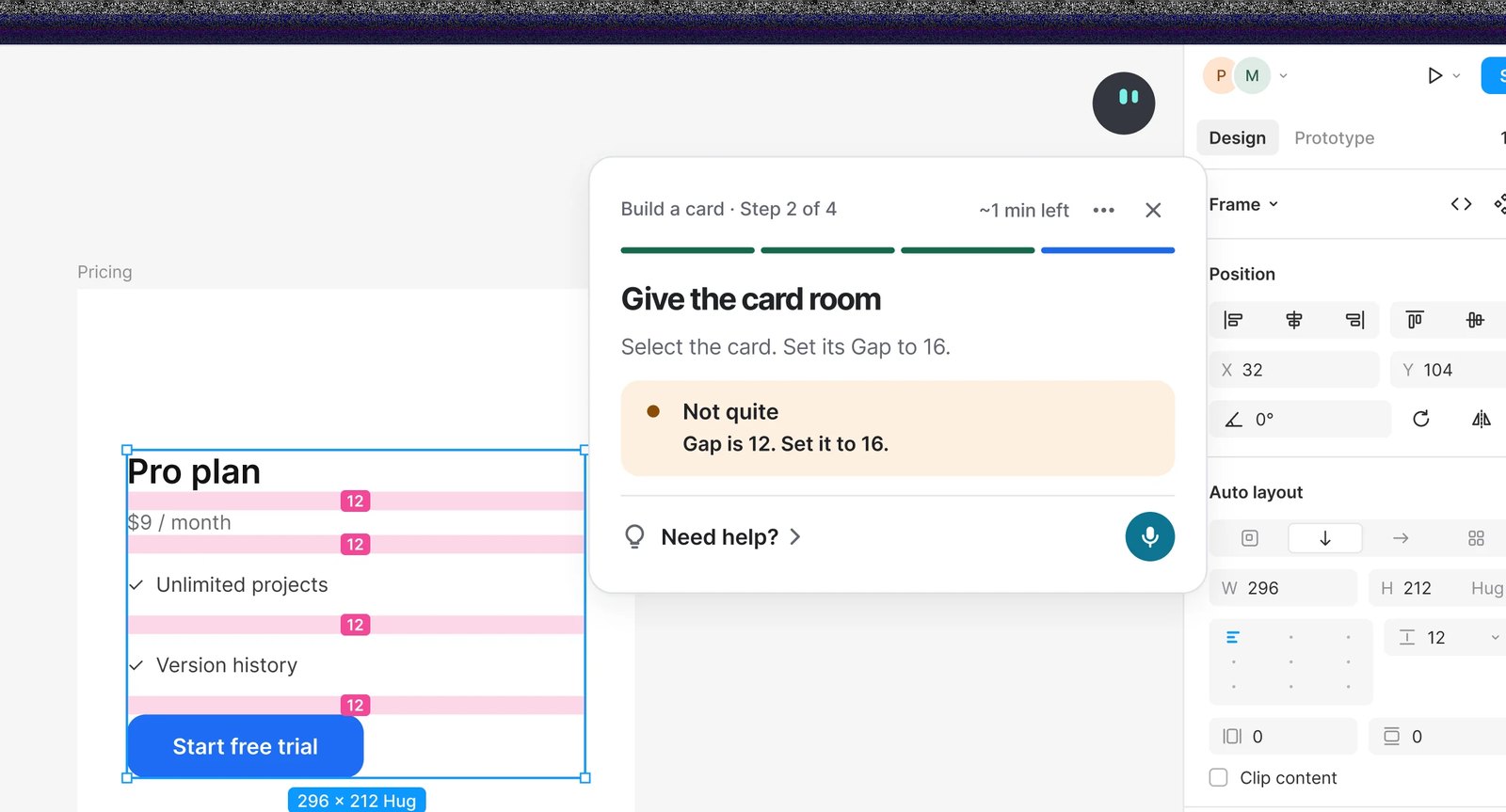
Every step is checked live, with feedback that names the exact value to change.
- 03
Ask out loud and nodd points to the control. It never makes the change for you.
- 04
Early access. Three lessons run end to end today.
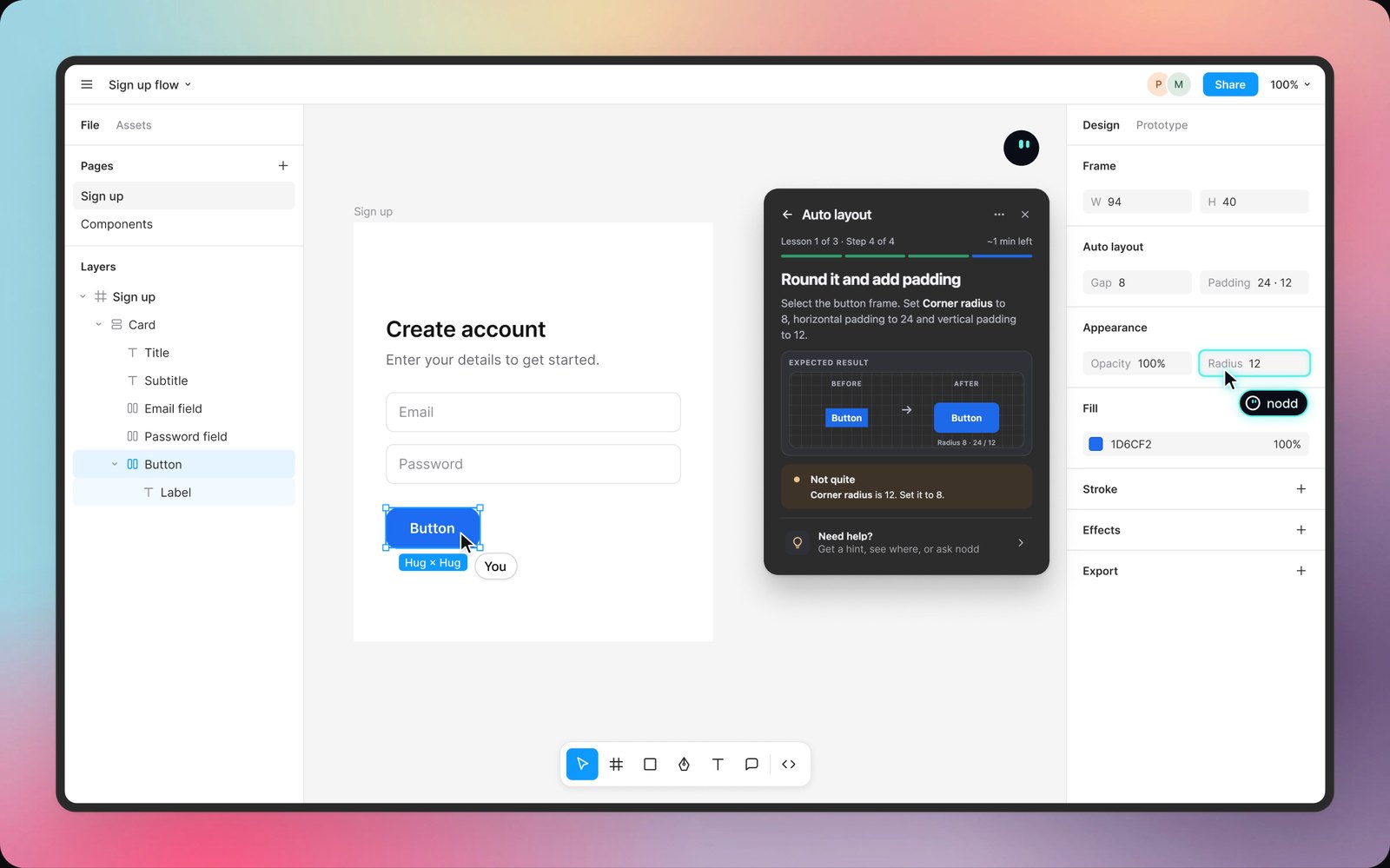
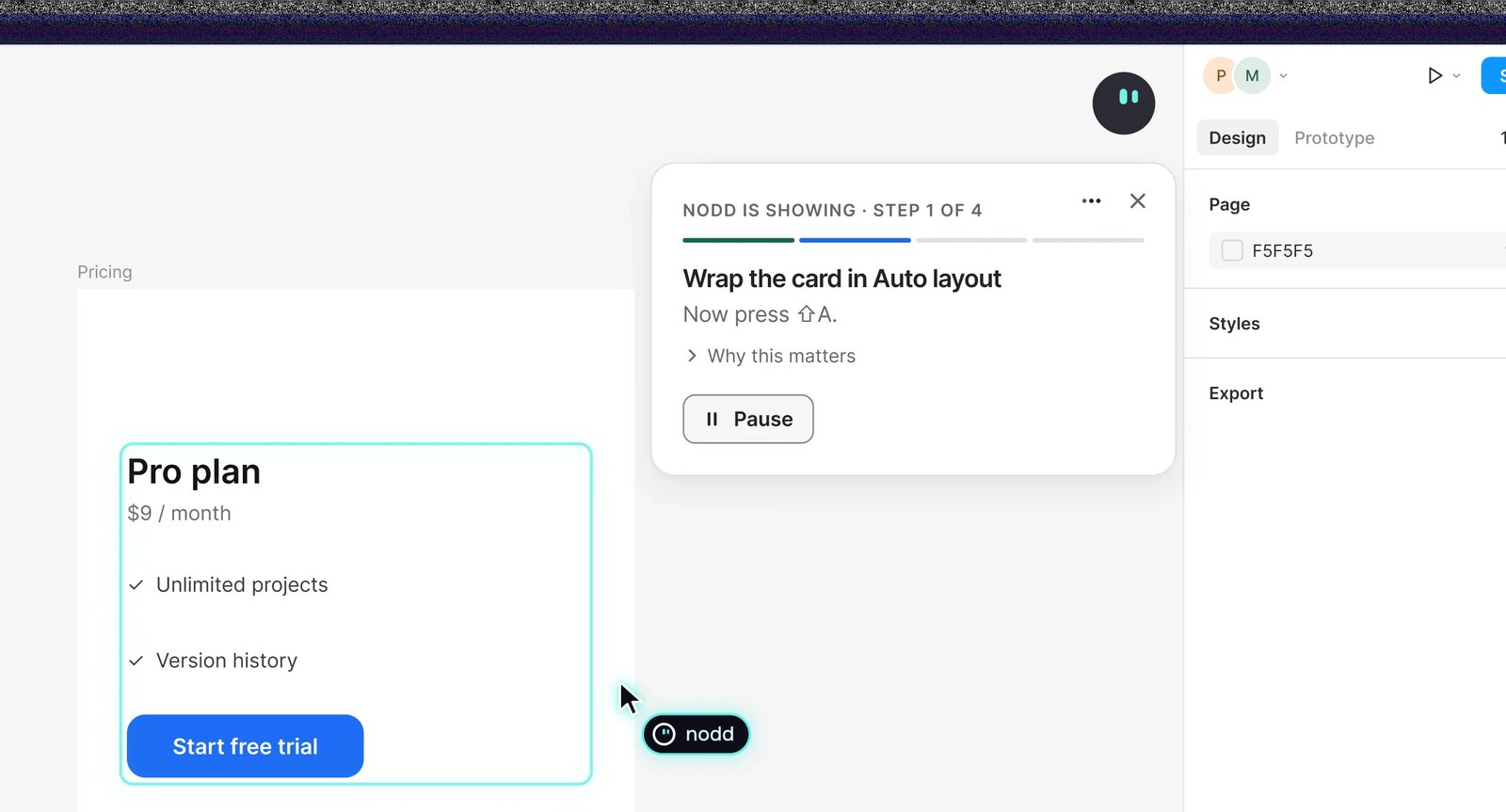
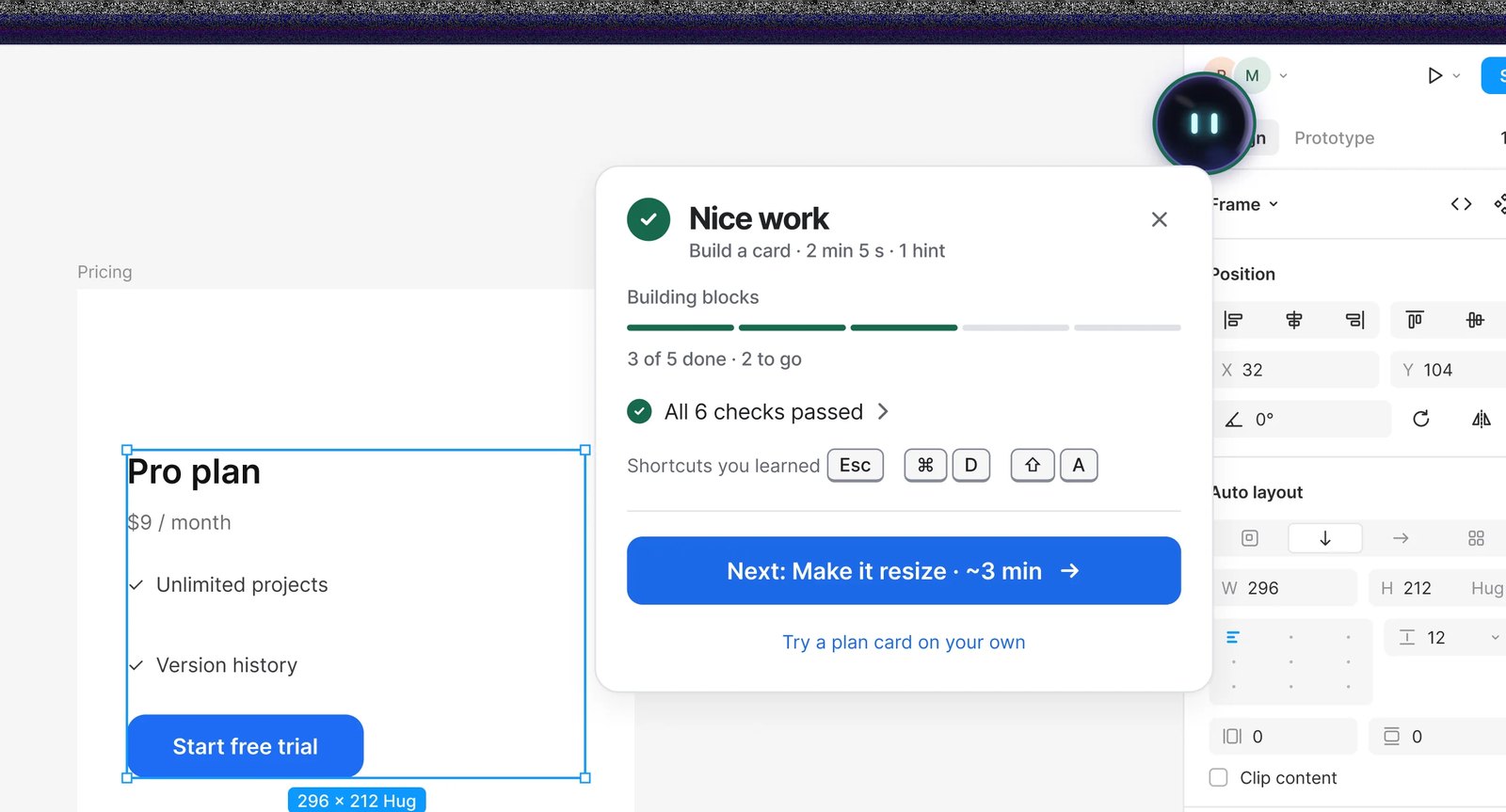
nodd is a learning companion for beginner and junior designers who use Figma in the browser. A small orb sits on the canvas. In a lesson it first shows a step, then the learner does it in their own file while nodd checks the result live and says what to fix, like 'Not quite. Gap is 12. Set it to 16.' Hold a key and ask a question out loud, and nodd looks at the screen and points to the control that answers it. The learner always makes the change. The idea is simple. You learn Figma by doing it in Figma, not by watching someone else do it in a video.
Context
People learn Figma from videos, then open their own file and get stuck on the first real step. The tools around them don't close that gap. AI agents fix the file for you, linters only flag what's wrong, and tutorials use prepared exercises. Nothing had the learner fix their own file with each step checked as they go.
Approach
Each lesson is a loop. Show me, your turn, live check. nodd demonstrates a step, hands control back, and watches the result until it matches. Help is always one key away. Hold it, ask a question, and nodd takes one screenshot, finds the control that answers it, and points. Extension, lessons, and landing page are designed and built solo.
Key decisions
The learner makes the real changes
The tutor points and explains, the human clicks. Even the Show me demo builds only in its own area, edits only the layers it created, and gives control back the moment the canvas moves or the learner acts. Learning sticks when your own hands make the change.Point only when sure
A vision model picks the target and a local check confirms the known controls. When the target is ambiguous, nodd writes the instruction instead of pointing at a guess. Measurement decided the method. Labeling the screenshot with numbered marks found 68 to 73 percent of targets, while a dedicated locator model found 12 of 12, then 24 of 24 in a larger test.Privacy built into the interaction
No continuous capture. One screenshot per explicit question, the microphone is on only while you hold the key, and there is no wake word. Layer text and page data are never sent to the AI, and screenshots are not stored.A quiet companion, not a chatbot
The orb's eyes follow your pointer and it turns into the cursor when it points. Every answer is one short bubble that goes away. No chat window, no transcript. The interaction builds on an open source cursor tutor pattern, adapted for teaching inside a design tool.What I chose not to build
A big course catalogue before the core loop is proven. Three lessons run end to end today. I'm getting show, try, and check right on those before writing more. No desktop app and no FigJam yet.
Inside the product